One or more virtual ports can be created to manage IP traffic.
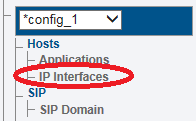
1. Select IP Interfaces from the navigation panel
2. Click the Virtual Ports tab.
Click Create New Virtual Port
3. Configure the virtual port.
Enter a name for the virtual port
Select the host(s) to which the virtual port is assigned
Select a physical port to which the virtual port is assigned
Click Create
Name
Hosts
Ethernet Ports
Last updated 1 year ago
Was this helpful?