One or more users can be disabled.
To disable a user:
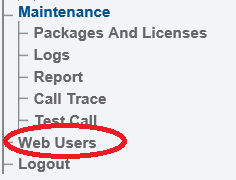
1- Click Web Users in the navigation panel.
2- Select the Users tab, locate the user in the User list, and click Disable.
The user is disabled in the User list.
To enable a user:
2- Select the Users tab, locate the disabled user in the User list, and click Enable.
File:Users enable1 A2.pngarrow-up-right
The user is now enabled in the User list.
Last updated 1 year ago
Was this helpful?