The Routeset definition file uses a Comma Separated Value (CSV) format, to store Routing Labels and optional custom parameters. DO NOT put any spaces between commas and column names.
For example:
routeset_name,priority
Montreal_Qc,2
Calgary_AB,3
To add a Routeset definition file to the system:
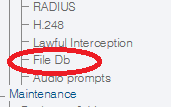
1- Click FileDB in the navigation panel
2- Click Import new definition
3- Click Browse and select the Routeset defintion file that you wish to import.
Click Import
4- The Routeset definition files are displayed in the Routesets Defintion table.